 Sunplug
Sign in
Sunplug
Sign in
Setup guides → Sunplug Agent → Docker
Sunplug Agent on Docker
For a NAS or mini-PC that already runs containers and stays on.
Running it
The image is published for x86 and ARM. The machine must be on the same network as your inverter.
sunplugapp/sunplug-agentdocker run -d --name sunplug-agent --network host \
-v sunplug-agent:/data --restart unless-stopped \
sunplugapp/sunplug-agent:latest
Then open http://<machine>-agent.local:8787 from a
browser on your home network, where <machine> is the
machine's hostname, or use its IP address. The page finds your inverter.
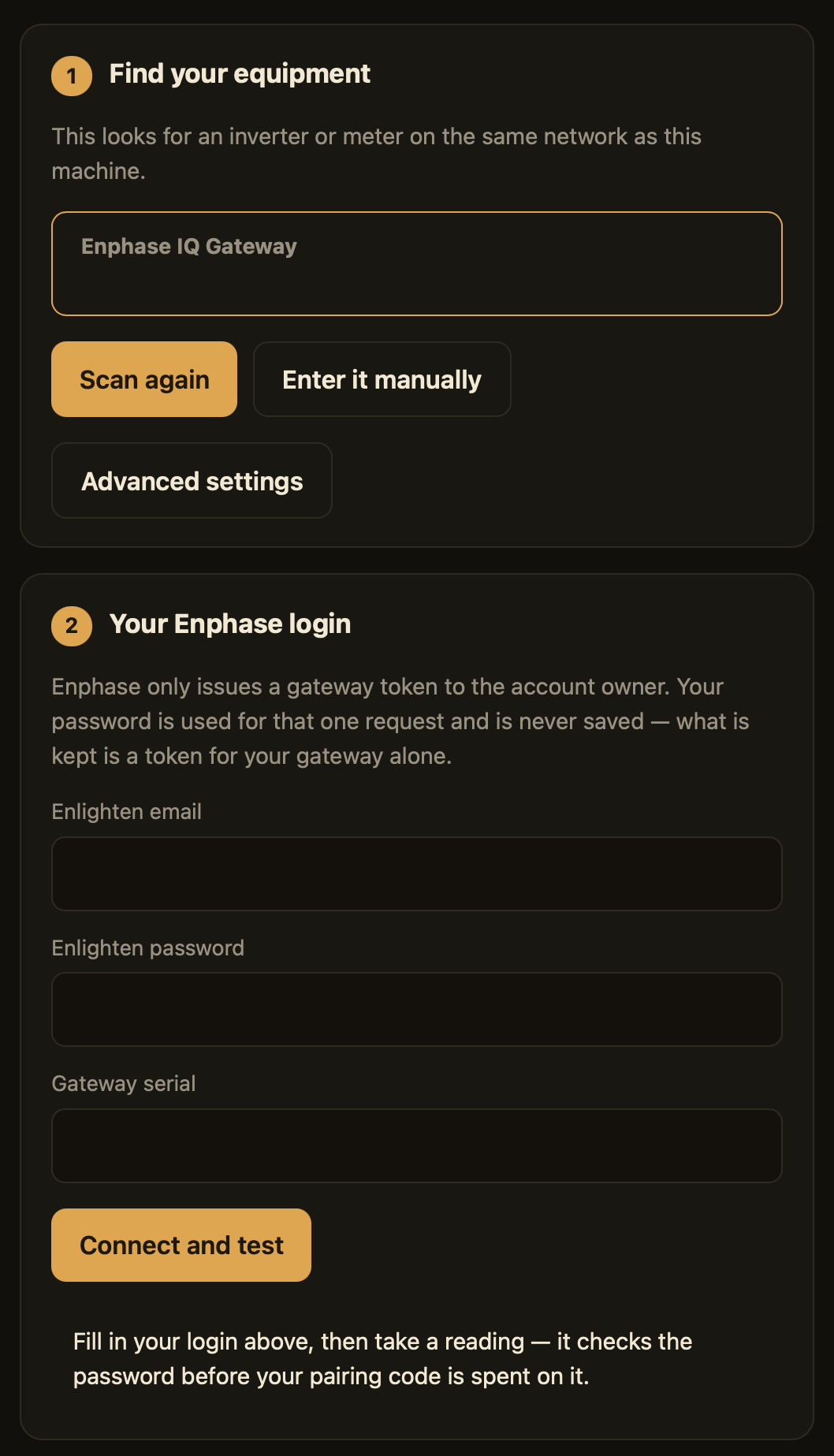
Enphase, shown here, needs a one-time sign-in. Fronius, SolarEdge, SolaX, Sungrow, GoodWe, LuxPower, APsystems, SMA, KOSTAL, Hoymiles, OpenDTU and Victron need no login. Your brand's own guide says which applies.
A NAS "search and install" button skips both --network host,
needed to find your inverter, and the /data volume, needed to
keep the pairing across updates.
Compose
On a NAS with Compose or Projects — Synology, QNAP, UGREEN — this sets both for you:
services:
agent:
image: sunplugapp/sunplug-agent:latest
network_mode: host
restart: unless-stopped
volumes:
- agent_data:/data
volumes:
agent_data:Pairing
In the app, Settings → Solar system → Sunplug Agent shows a six-character code. Enter it on the agent's setup page.
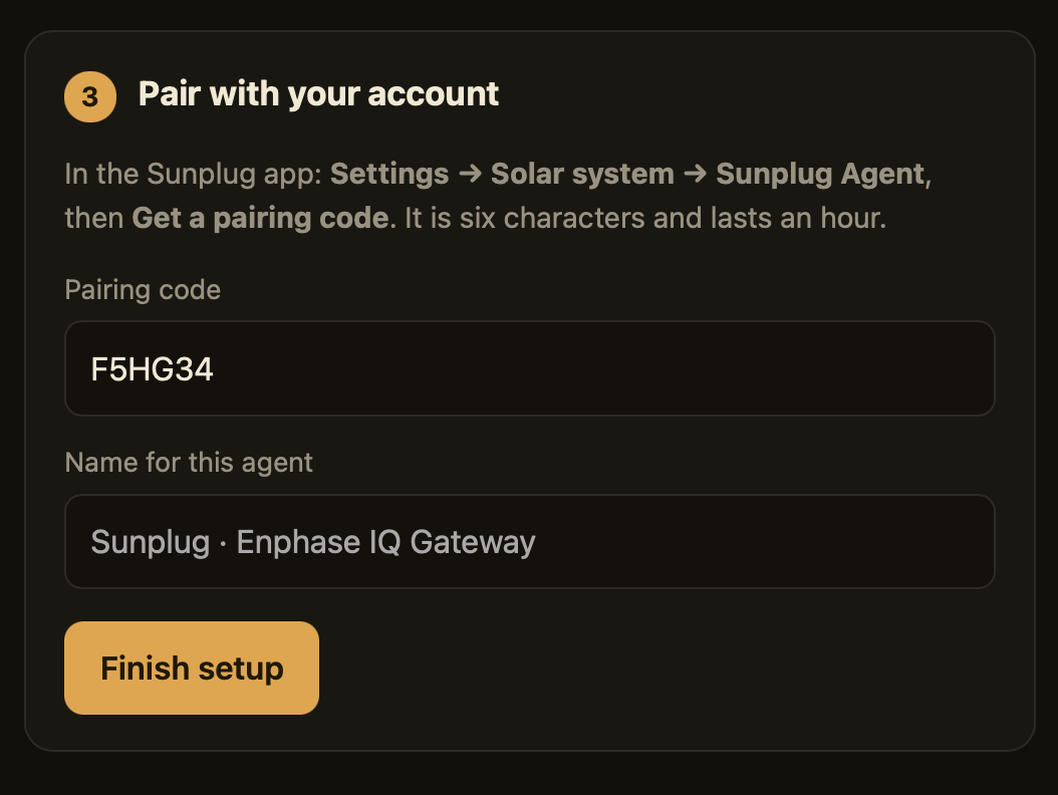
The code is single use and expires after an hour. Each agent can be revoked on its own from Settings, which also shows when it last reported.
Updating
Nothing updates itself. The app tells you when a newer agent is out.
A NAS
Look for re-pull, rebuild or redeploy:
- UGREEN (UGOS) — Docker → Project → your project → ⋯ → Settings → Compose configuration → Redeploy, tick Pull the latest image, then Deploy
- Synology — Container Manager → Overview shows when an update is waiting; for a project, Project → Action → Build, which re-pulls and recreates
- QNAP — Container Station → Images → Pull
(
sunplugapp/sunplug-agent, taglatest), then Overview → Edit Application → Apply without changing anything - Asustor — Portainer or Docker Engine → Images → Pull, then recreate the container
- TrueNAS SCALE — Apps → the app → Update, or edit and save to re-pull a custom app
- Unraid — Docker tab → Check for Updates → apply update
- Portainer (any NAS) — open the container → Re-pull image → Recreate
Docker or Compose
docker compose pull && docker compose up -dOr, without Compose:
docker pull sunplugapp/sunplug-agent:latest
docker rm -f sunplug-agent
docker run -d --name sunplug-agent --network host \
  -v sunplug-agent:/data --restart unless-stopped \
  sunplugapp/sunplug-agent:latest
The pairing lives in the /data volume, so it survives.
Checking it works
docker logs -f sunplug-agent
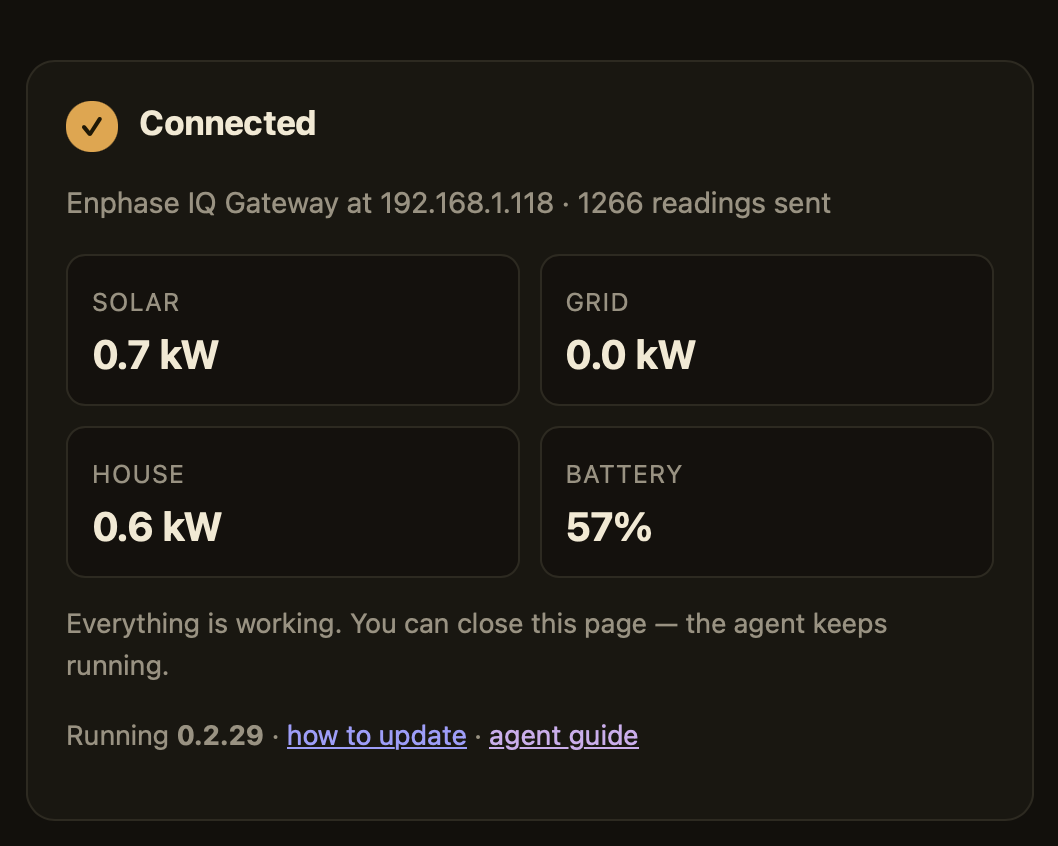
Expect a line every thirty seconds like
pv=2.62kW grid=-0.31kW load=2.31kW soc=0.47, and the
dashboard's freshness indicator settling to a few seconds.
When it does not work
Nothing found on the network
The machine is probably on another segment than the inverter — guest Wi-Fi or an IoT VLAN. Enter the address by hand in the setup page's field below the list.
It says it is not set up
The agent is not paired yet: open its setup page and enter the code from the app.
"This agent's access was revoked"
It was removed from Settings → Solar system. Pair it again with a fresh code.
The dashboard still shows cloud data
Once an agent is feeding, Sunplug stops polling your manufacturer's cloud. The Solar system screen says when.
Stuck? Email me with the log output.