 Sunplug
Sign in
Sunplug
Sign in
Setup guides → Your tariff
Set up your tariff
Everything Sunplug says about cost, savings and which hours to charge in starts here. Whichever kind of contract you are on, it is printed on your bill.
Which kind is yours
- The same price all day. One number, and nothing else to set.
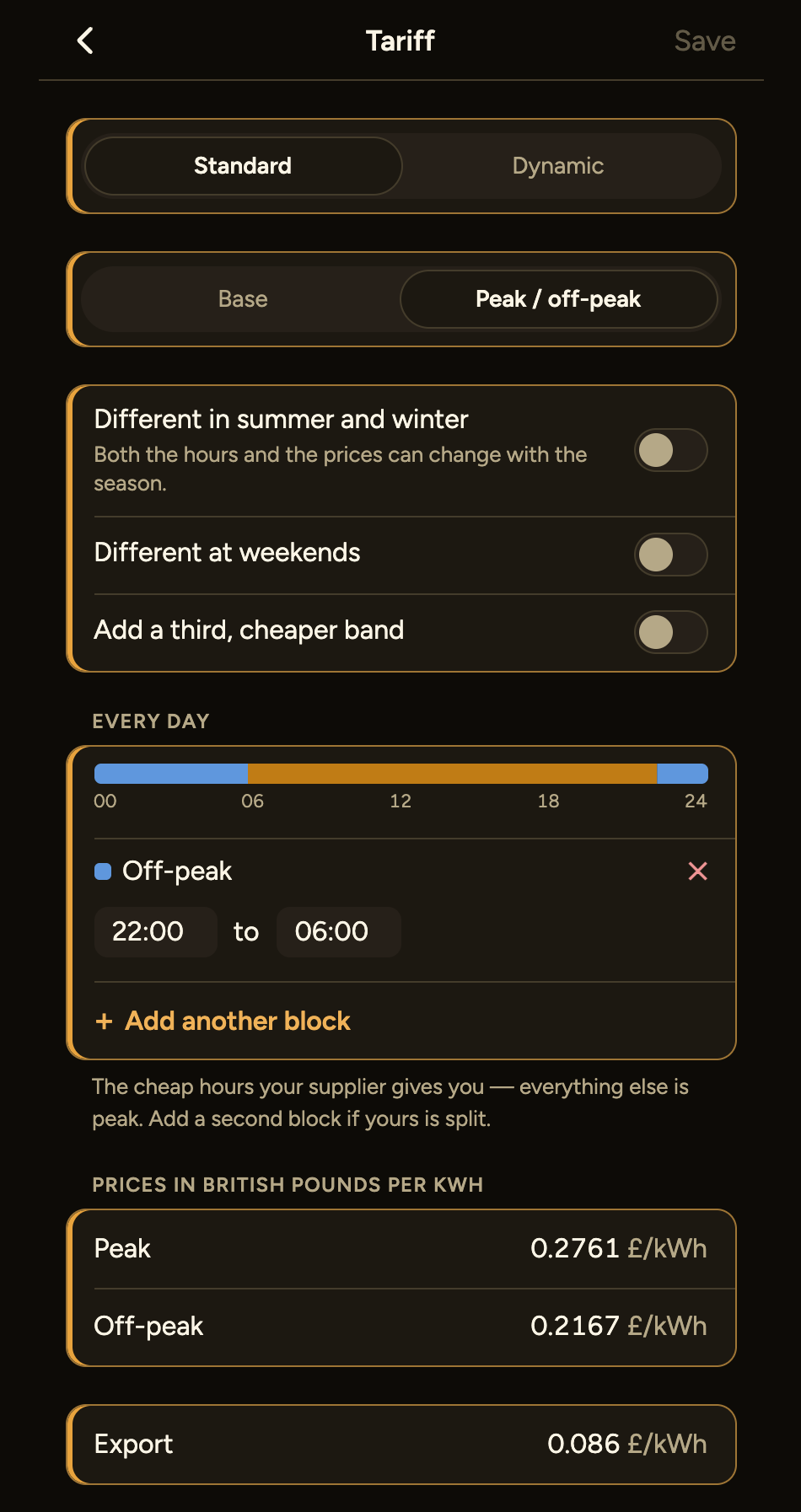
- Cheaper at set hours. Off-peak hours fixed by the contract.
- Hour by hour. Tomorrow's market prices, published the day before.
French contracts that follow the colour of the day have a section of their own at the foot of this page.
Cheaper at set hours
Enter the hours and the two prices. Three things are optional and are there because real contracts have them: a cheaper band again inside the off-peak hours, different hours at weekends, and different hours and prices in summer and winter. Leave them alone unless your contract says otherwise.
Your supply's off-peak hours are set by your meter, not by you. If they are wrong here, every savings figure is wrong by the same amount, so copy them from the bill rather than from memory.
Hour-by-hour market prices
Day-ahead prices come from the ENTSO-E Transparency Platform for your own bidding zone, which covers the EU and EEA and Switzerland. Norway, Sweden, Denmark and Italy are each more than one zone, so you pick yours; the price in one is not the price in another. Great Britain is read from Octopus Agile's published rates instead.
Prices are published the day before in quarter-hour steps. Choose quarter hours or whole hours to match how your contract bills — the wrong choice does not break anything, it just costs differently from your invoice.
Market prices: ENTSO-E Transparency Platform and ESIOS (Red Eléctrica).
Turning a market price into your price
The market price is wholesale. Yours is that price adjusted for losses, plus your supplier's markup, plus VAT on the total, plus the grid fee for the hour — one figure by day and another by night. You enter those once, from your contract. There are no supplier presets: a preset that has gone stale is worse than an empty field, because nothing about it looks wrong.
Check it straight away. The app shows your price now. Open your supplier's app beside it: if the two agree, the numbers are right, and every figure Sunplug shows from here on rests on that.
In France: Tempo
Tempo sits on top of an off-peak contract and adds the colour of the day: six prices in all, peak and off-peak for each of blue, white and red. Enter the six, and Sunplug follows RTE's colour day by day, so a top-up on a red evening is costed as a red evening rather than averaged away.
EDF's Tempo is the original. Tempo-like contracts that take their colours from the same signal — Octopus's OctoTempo red days among them — are set up the same way.
Somewhere else, or on a contract that works differently from any of these? Write and say which one — knowing what people are actually on is how the next one gets added.
Next: charging in the cheapest hours. Or the argument behind it, what a dynamic tariff is. Stuck? Email me.