 Sunplug
Sign in
Sunplug
Sign in
Setup guides → First setup
Setting up Sunplug for the first time
The whole setup, in order: about half an hour if your equipment is on the supported list, most of it waiting.
Before you start
Whether you need the agent. Some systems are read from the manufacturer's cloud. Most inverters only answer on the local network and need the Sunplug Agent on a machine that stays on at home — the Raspberry Pi image is the least fiddly way to run it. The setup guides say which case is yours.
Whether your inverter can see the grid. If it measures only what the panels make, not what the house uses, add a grid meter or accept a less precise mode; your equipment's guide says which.
1. Create your account
Sign in at sunplug.app/welcome with a passkey, Apple or Google — on the web or in the iPhone or Android app.
2. Tell it about your house
Enter your location, supply and tariff. Country and timezone set your off-peak hours. The supply figures are amp limits Sunplug never exceeds: per car, and for all cars together. Your rate drives every savings figure.
Get the combined figure right: it stops two cars tripping the main breaker, and Sunplug cannot work it out for you.
3. Connect your solar
Sign in to your manufacturer's account, or install the agent and let it find your equipment — the guide for your brand has the steps. Live production appears on the dashboard within a minute or two. Until setup is complete, the dashboard lists what is still missing.
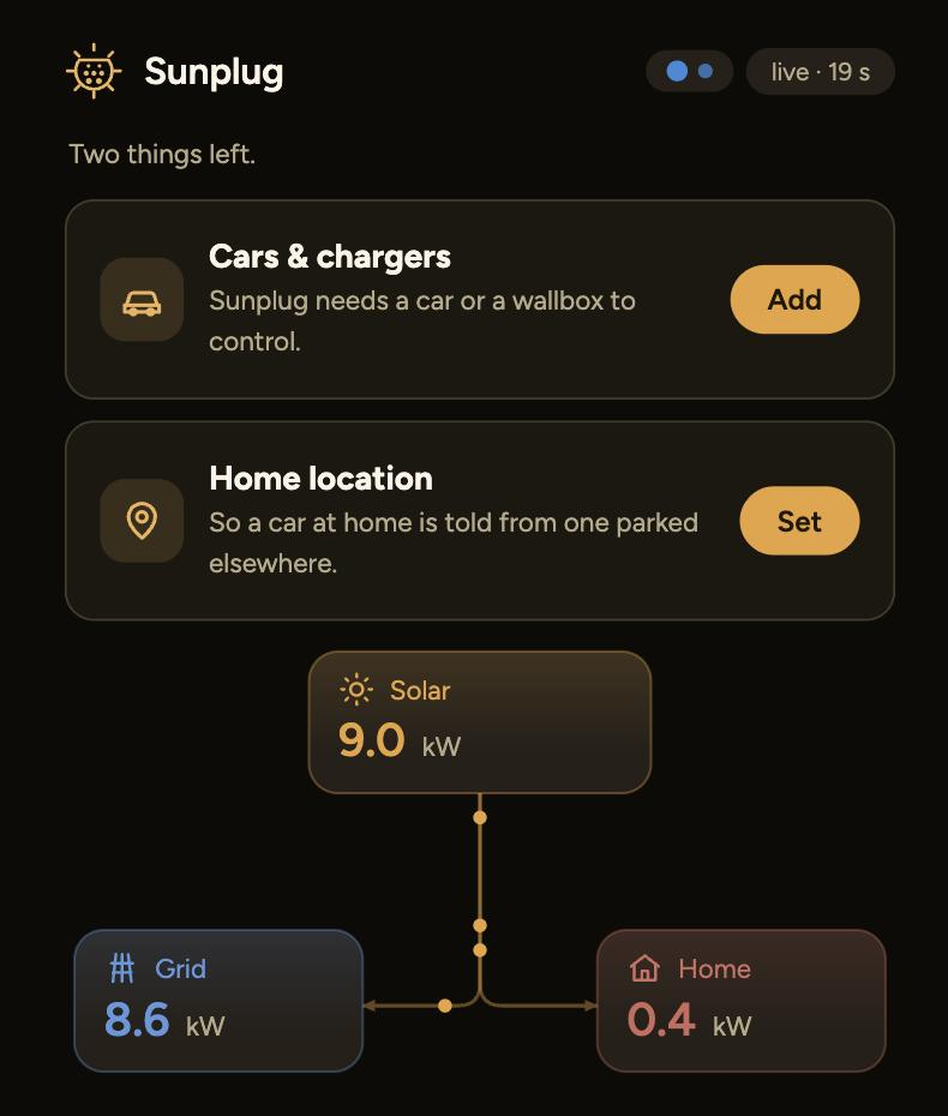
4. Connect your cars
Tesla: app login only, no hardware or wallbox changes; Sunplug reads its state of charge and sets its charging current directly. Volvo: read by Volvo, charged by your wallbox. Ford: read by Ford, charged by your wallbox. Other brands: see the guide for those.
5. Connect your charger, if you have one worth connecting
A Tesla with a Wall Connector needs nothing here. Point an OCPP wallbox, an Easee or a go-e at Sunplug; to keep the manufacturer's app working too, see keeping your app.
6. Say what you actually want
- Sun only, or sun plus a floor: charge purely on surplus, or keep the cars above a chosen level and buy the difference off-peak.
- Charge windows and blockouts: hours when grid charging is allowed regardless of sun, and hours when nothing may charge.
- Which car matters more when two want the same afternoon.
- Your home battery's reserve: how much is kept for the house.
All of it can be changed later.
7. Watch it for a day before you change anything
Sunplug waits several minutes before stopping a charge and longer before restarting one, so it does not chase passing clouds and wear the car's contactor. Day one will look slower than you expect. Every decision is recorded with its reason.
If something does not work
The most common first-day problems:
- The agent and the inverter are on different networks.
- The car is not at home, so Sunplug will not command it.
- There is no surplus: the house is using what the panels make.
Each brand's guide has its own troubleshooting.
Stuck? Email me.